# Carrier Guide
Information about becoming a carrier.
# What Are Carriers?
A Carrier on Bryler Logistics is an organization that can transport goods on behalf of a shipper.
An organization who has been approved as a Carrier will have full access to the Load Board, where they will have access to see all items that need to be shipped and can request to transport that shipment.
How to become a carrier?
# How to Become a Carrier
If you have a transportation business and would like to be considered as a carrier for Bryler Logistics, follow these steps:
1. [Create an account on Bryler Logistics](https://docs.brylerlogistics.com/books/user-guide/page/account-registration "Account Registration")
2. [Add your organization to Bryler Logistics](https://docs.brylerlogistics.com/books/user-guide/page/add-an-organization "Add An Organization")
3. [Start a Carrier Application](https://docs.brylerlogistics.com/books/user-guide/page/start-a-carrier-application "Start a Carrier Application")
4. [Upload your Insurance Documents](https://docs.brylerlogistics.com/books/user-guide/page/upload-insurance-forms "Upload Insurance Forms")
5. [Upload Your Authorization Certificate](https://docs.brylerlogistics.com/books/user-guide/page/upload-authorization-certificate "Upload Authorization Certificate")
6. [Complete Your Business Information](https://docs.brylerlogistics.com/books/user-guide/page/complete-business-description "Complete Business Description")
7. [Submit for Review and Approval](https://docs.brylerlogistics.com/books/user-guide/page/submit-your-carrier-application "Submit Your Carrier Application")
After your Carrier Application has been submitted for review, you will have to wait until a Business Manager reviews your application and then either accepts or rejects it.
You will be notified via Email when the status of your application has changed.
# Add An Organization
Every user can add up to ONE (1) Organization to Bryler Logistics. This gives basic information about your company to Bryler Logistics so that we can best serve you as a Shipper or Carrier.
##### Go to Your Account Profile
\- [https://BrylerLogistics.com/profile](https://BrylerLogistics.com/profile)
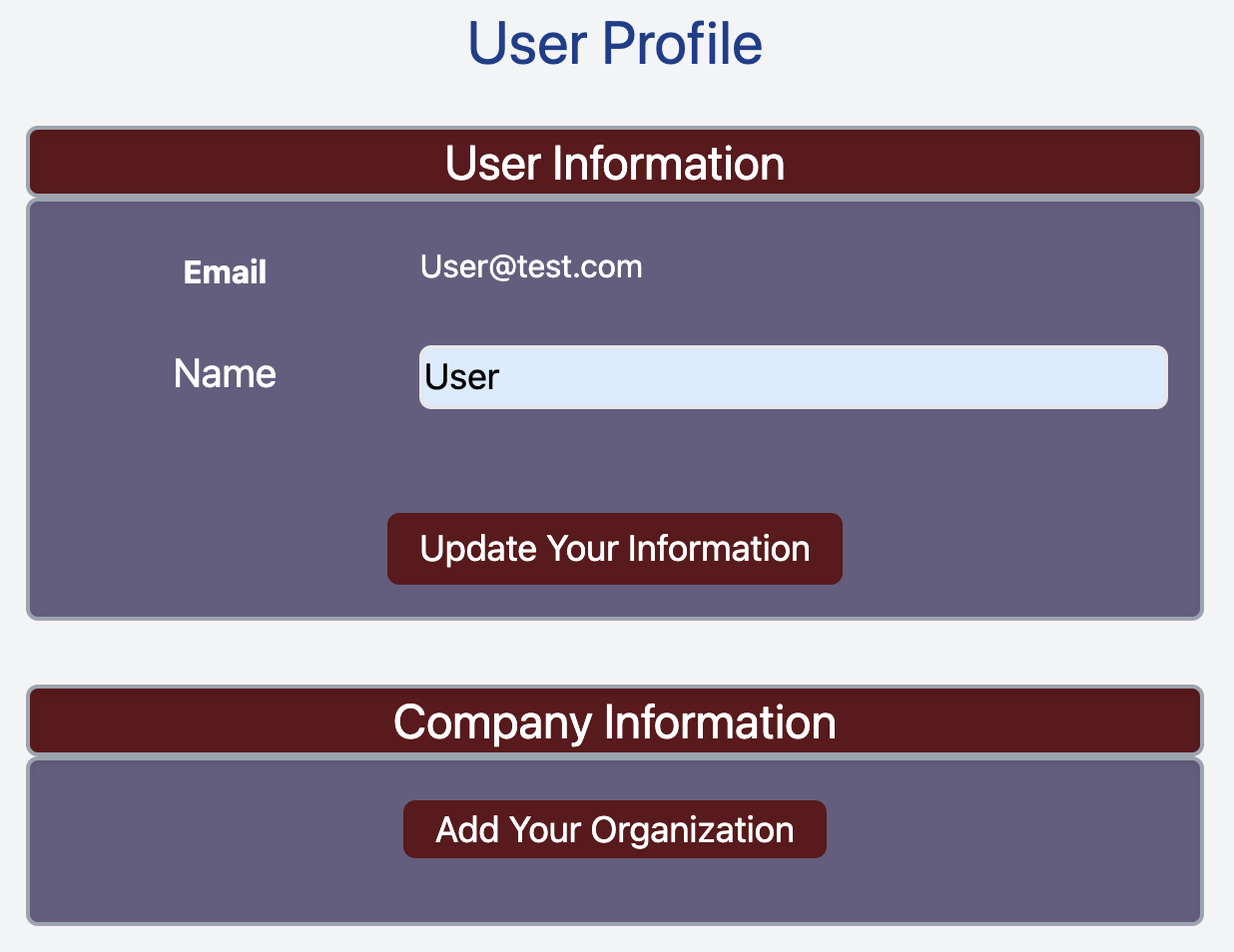
##### Click **Add Your Organization**
[](https://docs.brylerlogistics.com/uploads/images/gallery/2021-09/image-1630895489954.png)
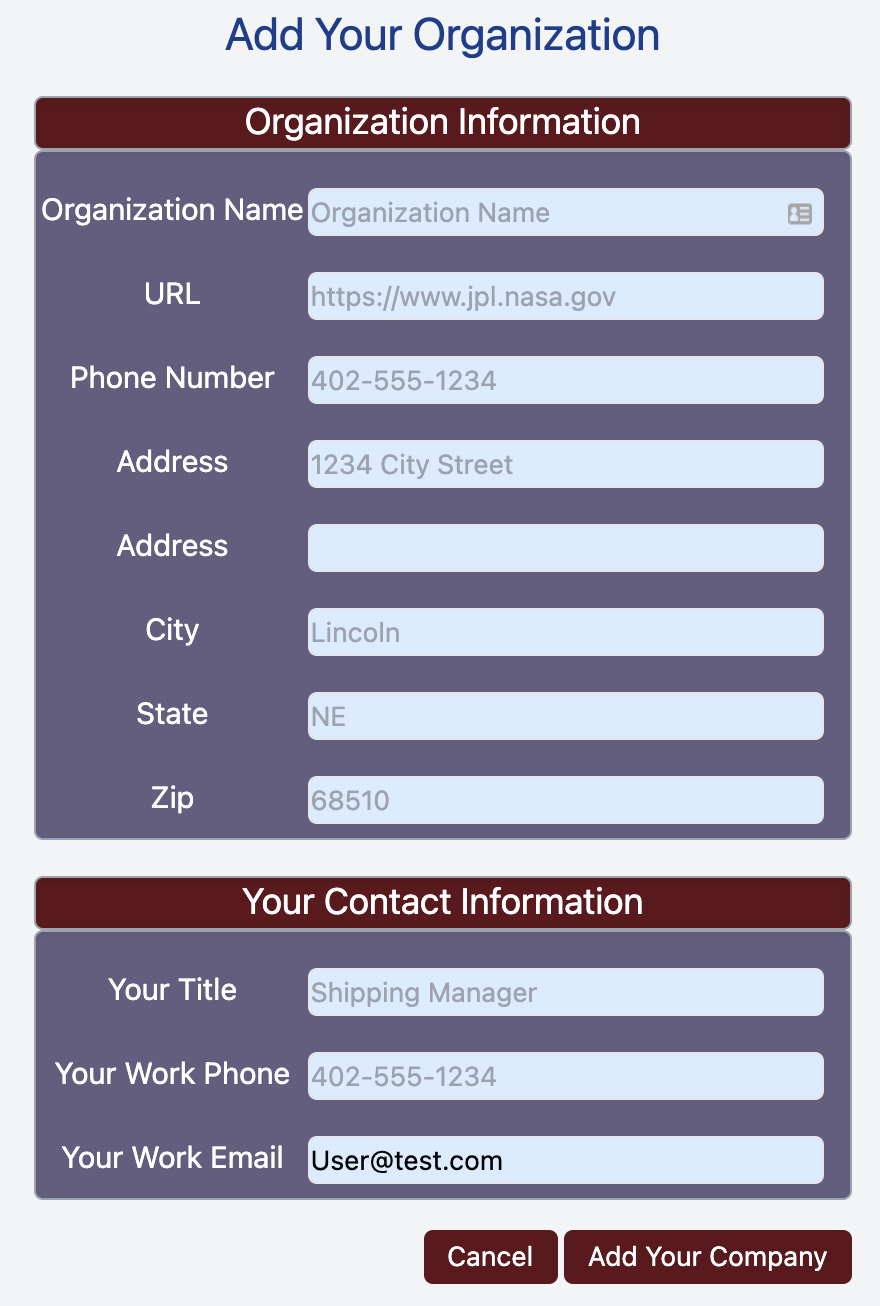
##### Fill In Your Organization Information
[](https://docs.brylerlogistics.com/uploads/images/gallery/2021-09/image-1630895599478.png)
The only required field is the **Organization Name** is required, but please fill in a complete profile so that we have all of the information that we need for your organization.
The **Your Contact Information** section is for your personal contact information within the organization.
Click **Add Your Company** to complete the Organization registration.
# Start a Carrier Application
To start the process for becoming an approved application, first you must [Add Your Organization](https://docs.brylerlogistics.com/books/user-guide/page/add-an-organization "Add An Organization") to Bryler Logistics.
##### Go To Your Profile
\- [https://brylerlogistics.com/profile](https://brylerlogistics.com/profile)
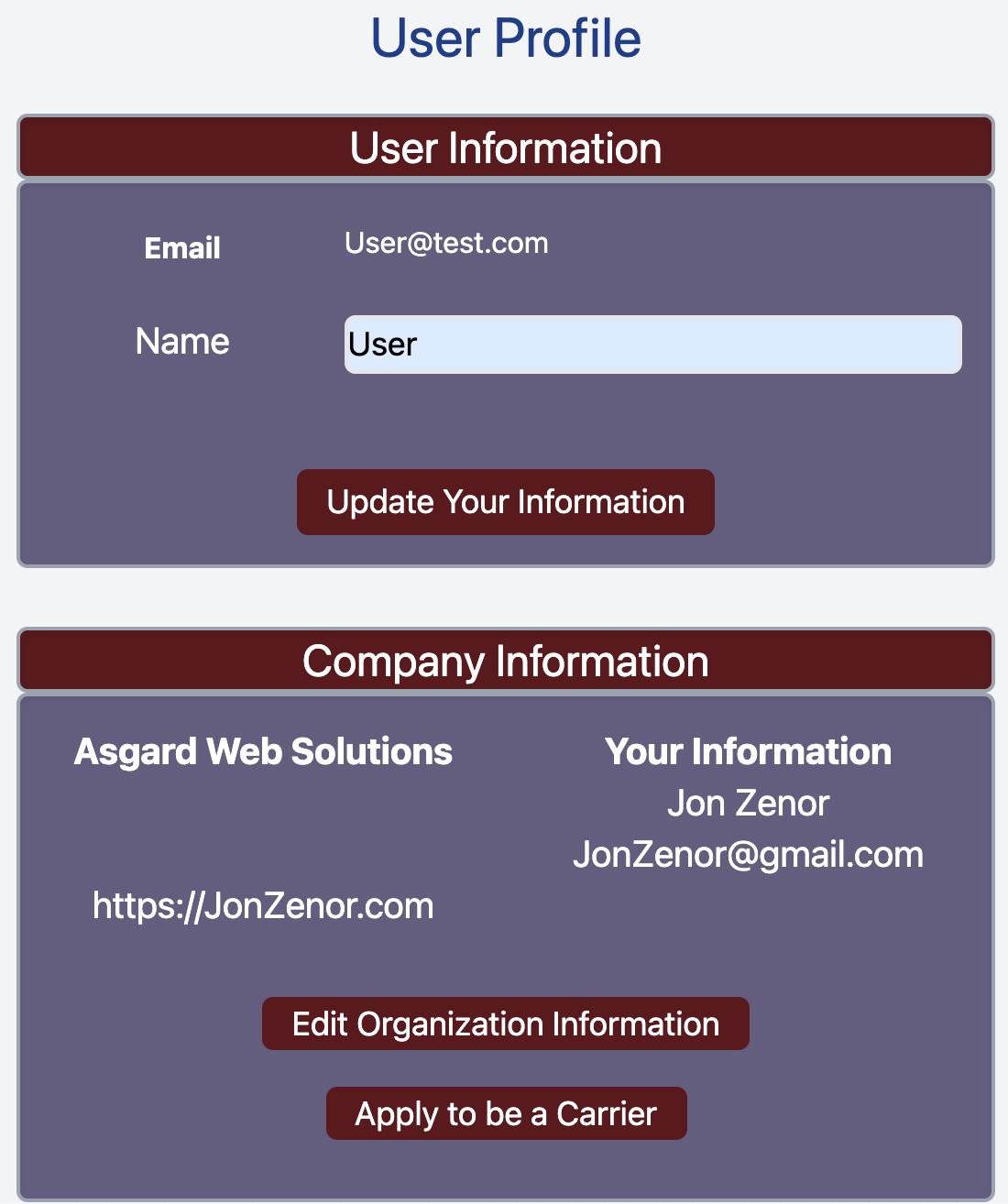
##### Click **Apply To Be A Carrier**
[](https://docs.brylerlogistics.com/uploads/images/gallery/2021-09/image-1630896359106.png)
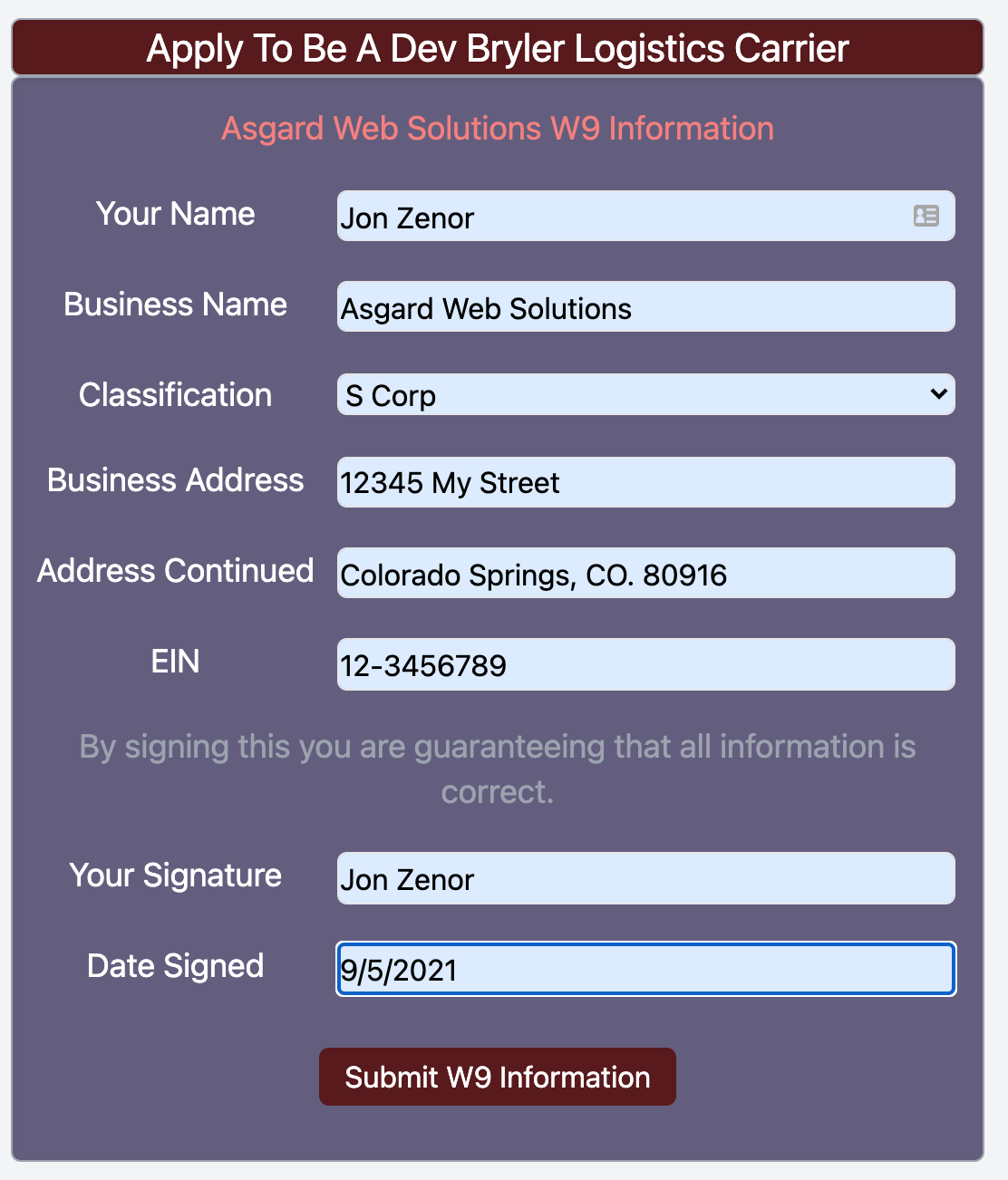
##### Fill Out W-9 Information
[](https://docs.brylerlogistics.com/uploads/images/gallery/2021-09/image-1630896523555.png)
A complete W-9 profile is required for Tax purposes.
##### Click **Submit W9 Information**
[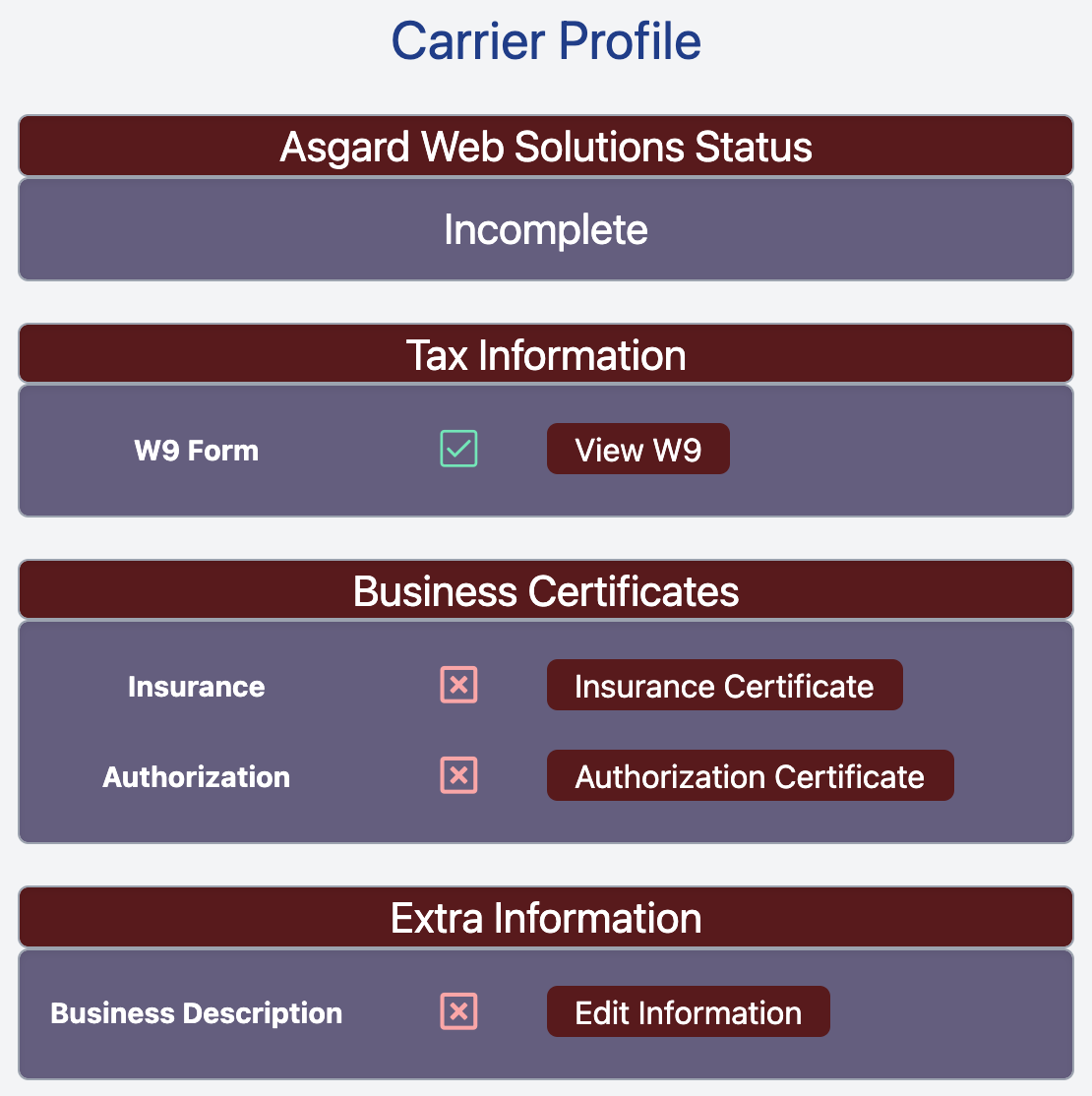](https://docs.brylerlogistics.com/uploads/images/gallery/2021-09/image-1630896739892.png)
##### Continue Your Application
# View Your Carrier Application
After you have [Started Your Carrier Application](https://docs.brylerlogistics.com/books/user-guide/page/start-a-carrier-application "Start a Carrier Application") you must complete the application before your application can be approved.
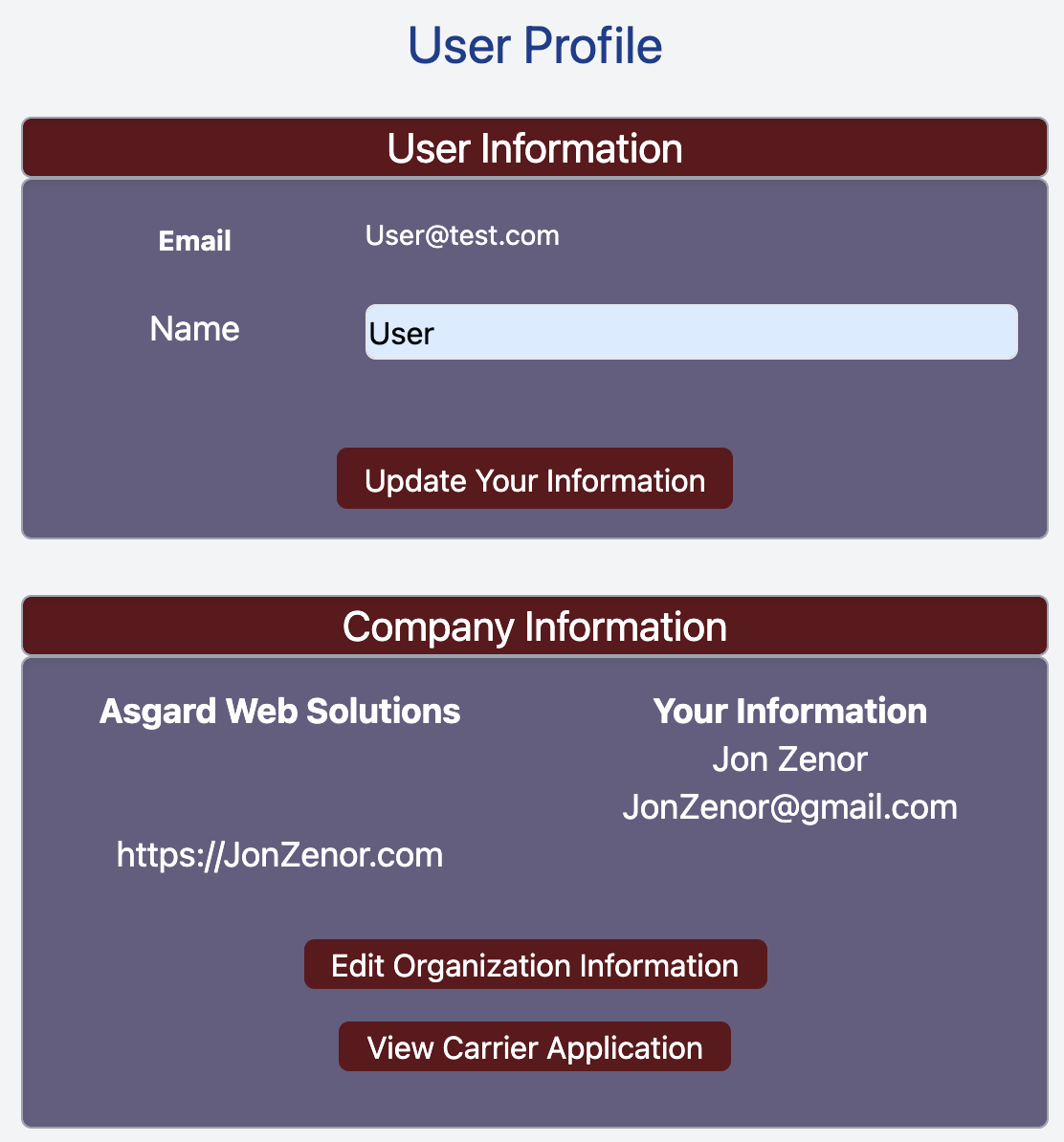
##### Go To Your Profile Page
\- [https://brylerlogistics.com/profile](https://brylerlogistics.com/profile)
[](https://docs.brylerlogistics.com/uploads/images/gallery/2021-09/image-1630897102271.png)
##### Click **View Carrier Application** In Your Company Information Box
[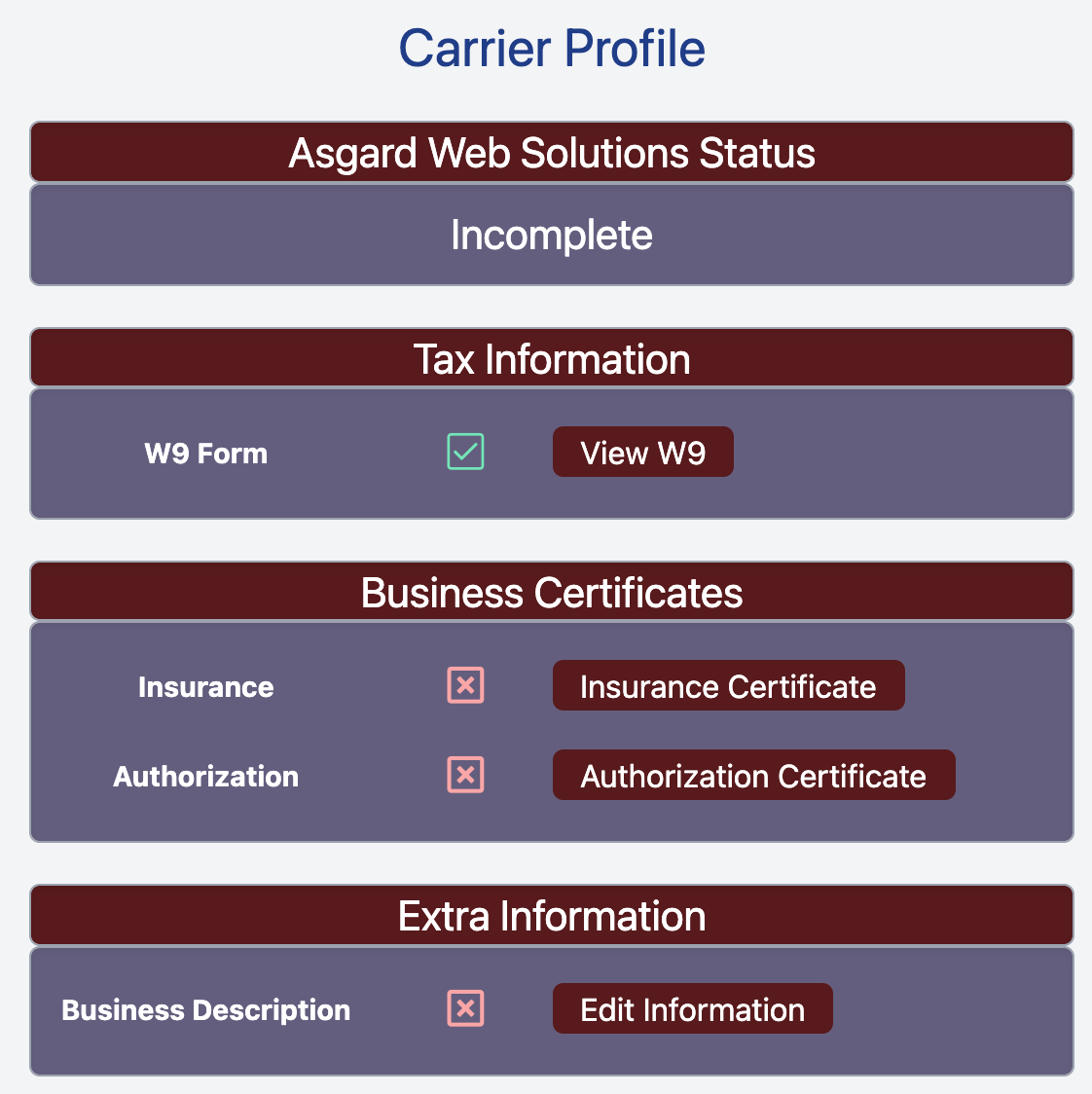](https://docs.brylerlogistics.com/uploads/images/gallery/2021-09/image-1630897164672.png)
To complete your Carrier Application, upload your [Insurance Documents](https://docs.brylerlogistics.com/books/user-guide/page/upload-insurance-forms "Upload Insurance Forms") and Authorization to Carry certificates.
#####
# Upload Insurance Forms
After you have [Started a Carrier Application](https://docs.brylerlogistics.com/books/user-guide/page/start-a-carrier-application "Start a Carrier Application") you will be able to upload insurance forms to prove that your organization is properly insured to carry freight.
##### Click **View Carrier Application** From Your Profile
\- [https://brylerlogistics.com/profile](https://brylerlogistics.com/profile)
[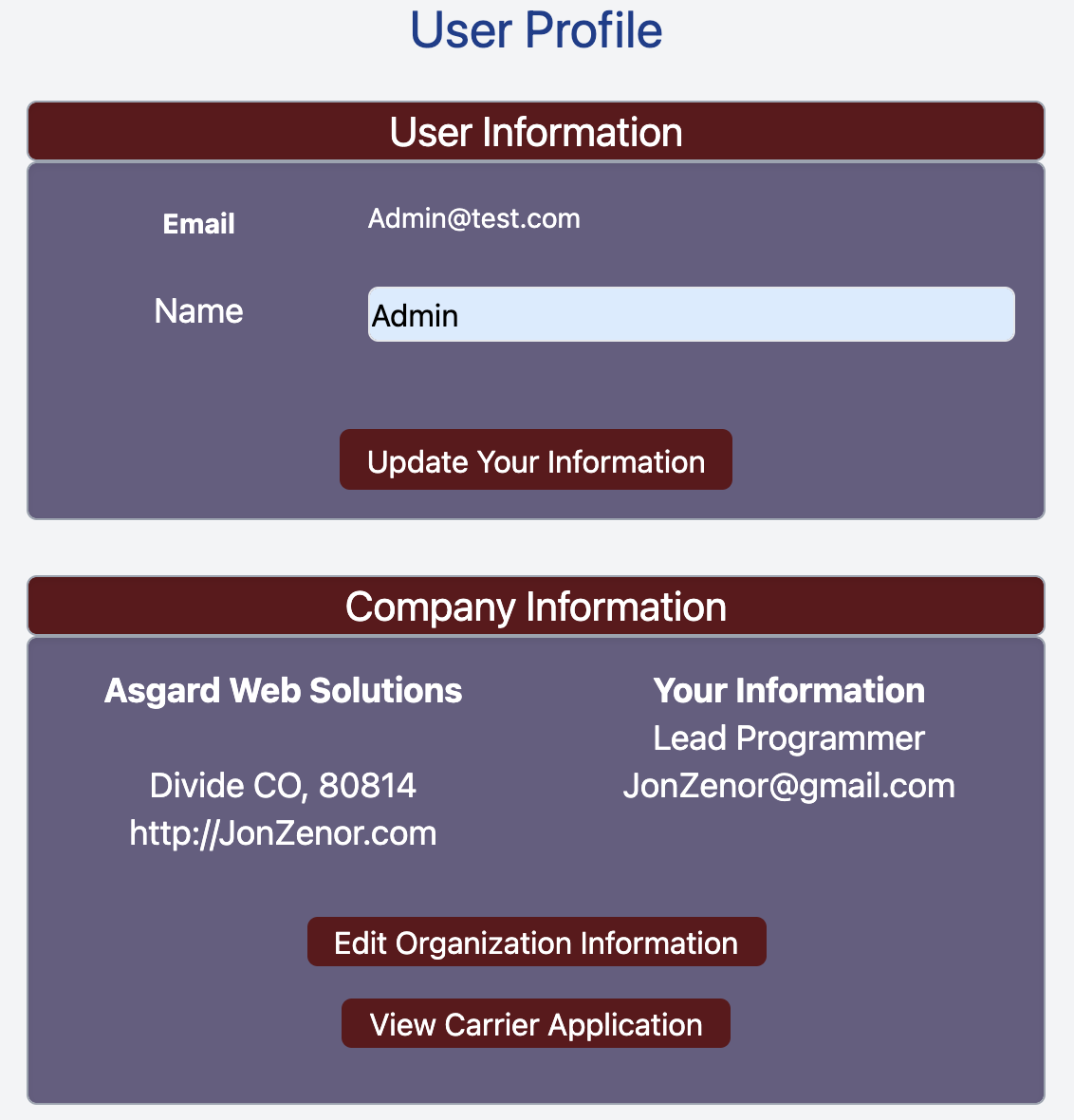](https://docs.brylerlogistics.com/uploads/images/gallery/2021-09/image-1630899264007.png)
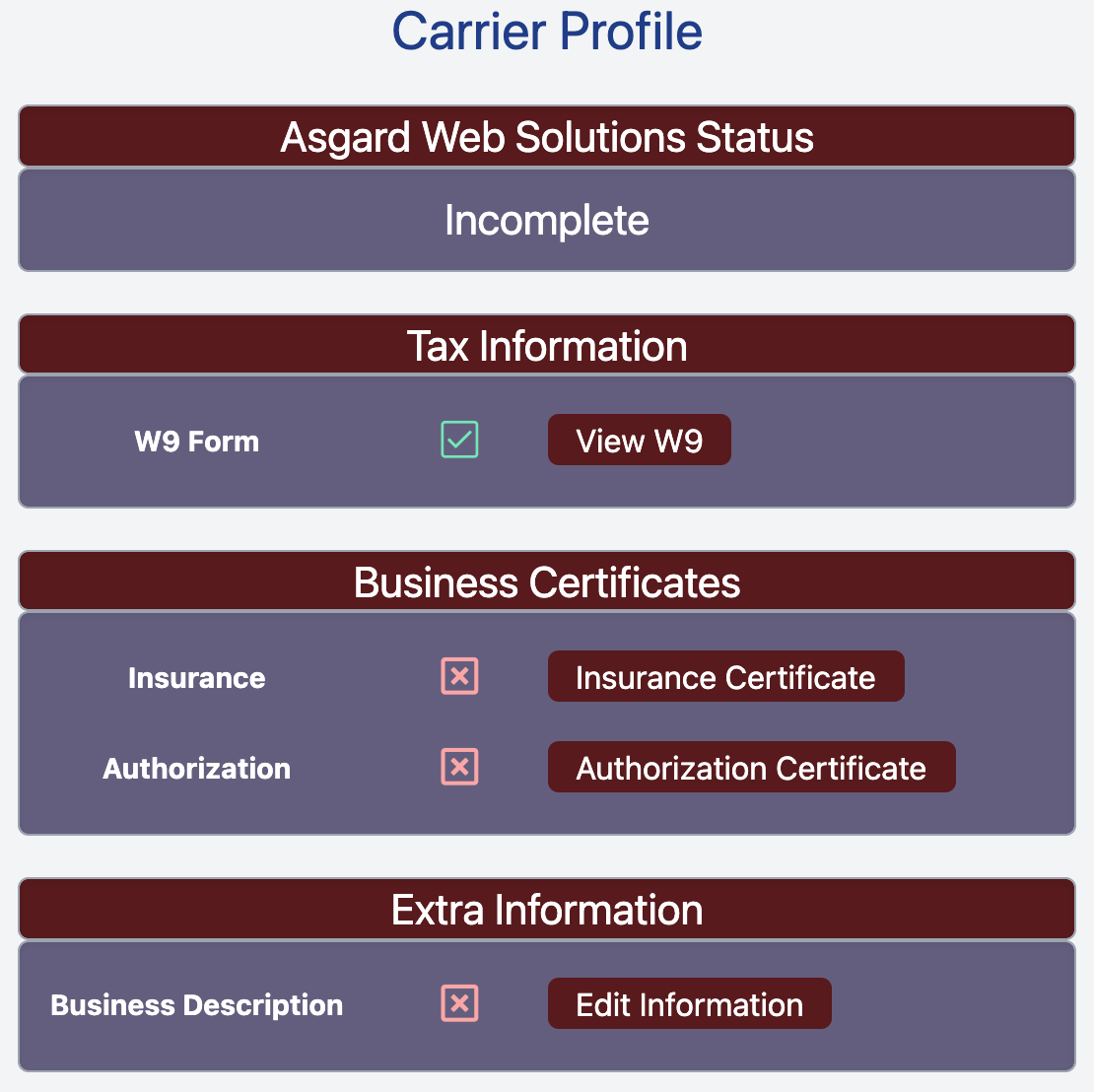
##### Click **Insurance Certificate**
This loads the Insurance Certificate information for your organization and allows you to upload new documents.
[](https://docs.brylerlogistics.com/uploads/images/gallery/2021-09/image-1630899571210.png)
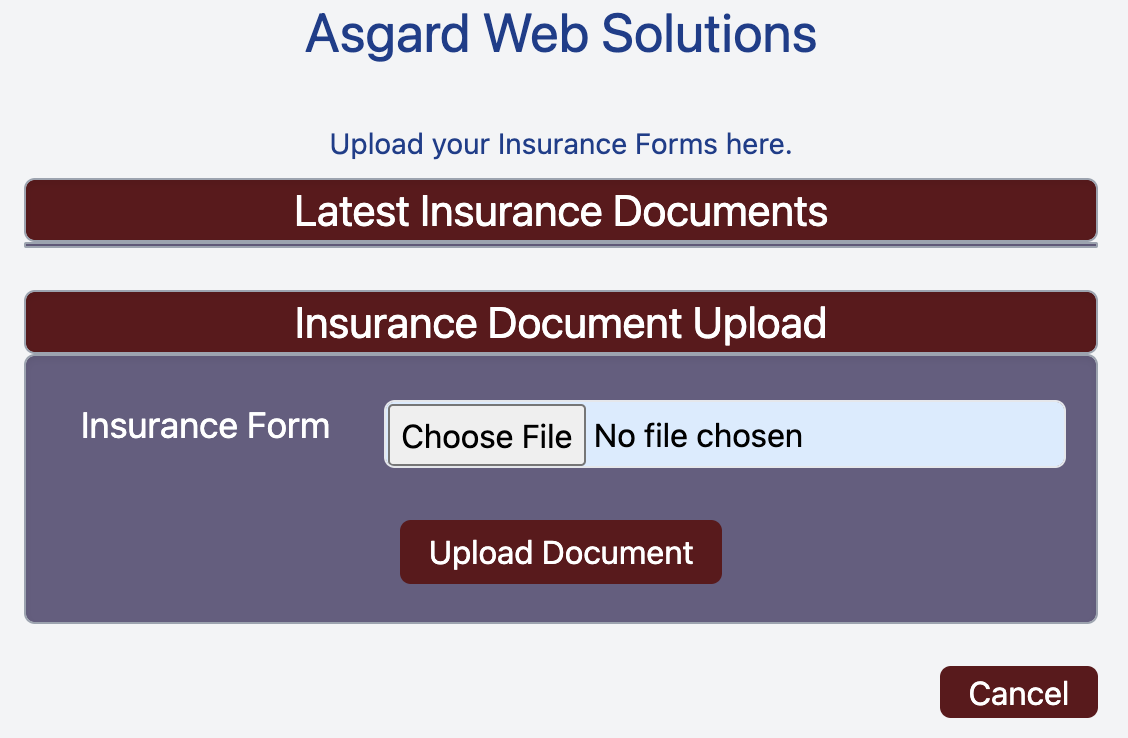
##### Click **Choose File**
Select the Insurance Document that you want to upload.
[](https://docs.brylerlogistics.com/uploads/images/gallery/2021-09/image-1630900064417.png)
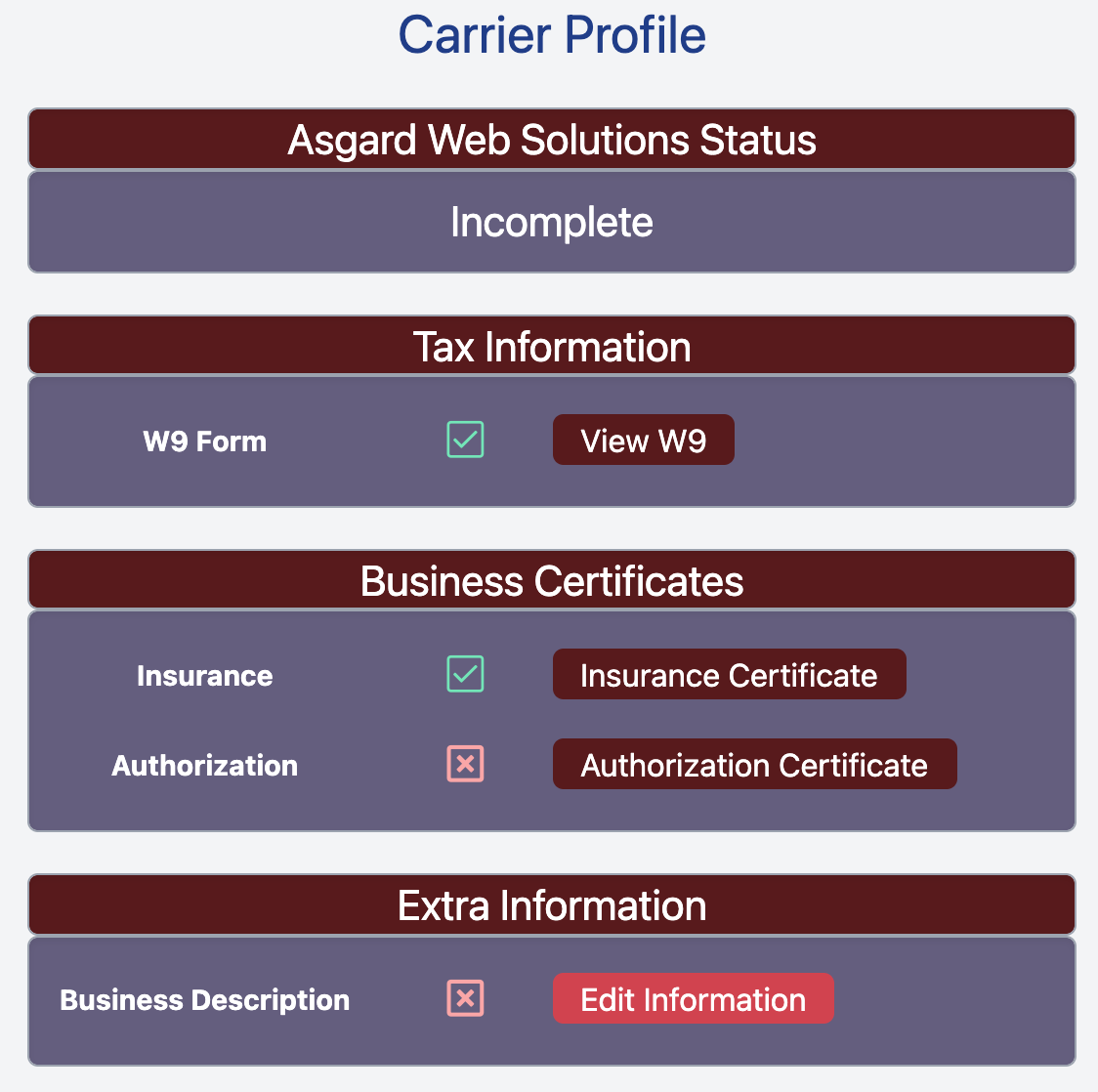
After selecting the file click **Upload Document** to upload it to Bryler Logistics. You will then be returned to the Carrier Profile page.
[](https://docs.brylerlogistics.com/uploads/images/gallery/2021-09/image-1630900333124.png)
After the Insurance Documents have been uploaded to your Carrier Profile, the Red x icon will turn into a Green check mark. Once all sections have been completed and turned into Green check marks, then you can submit your Carrier Application for review.
# Upload Authorization Certificate
Before you can become an authorized Bryler Logistics carrier, you must upload your Authorization To Carry certificate. [https://www.transportation.gov/content/what-definition-authorized-hire-carrier](https://www.transportation.gov/content/what-definition-authorized-hire-carrier)
##### Click **View Carrier Application** From Your Profile
\- [https://brylerlogistics.com/profile](https://brylerlogistics.com/profile)
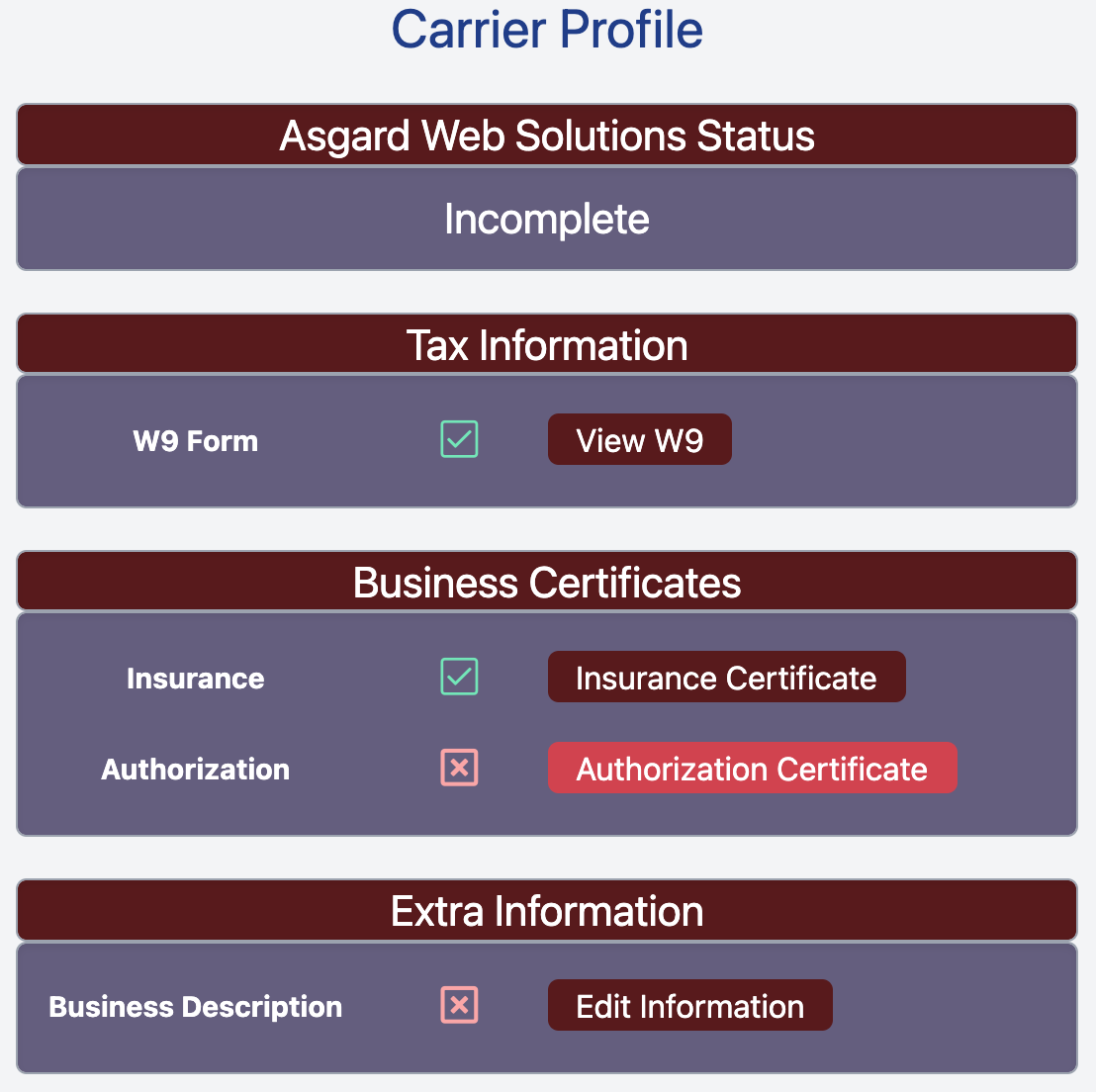
##### Click **Authorization Certificate**
[](https://docs.brylerlogistics.com/uploads/images/gallery/2021-09/image-1630901418309.png)
##### Click **Choose File** and Select the file that you want to upload.
[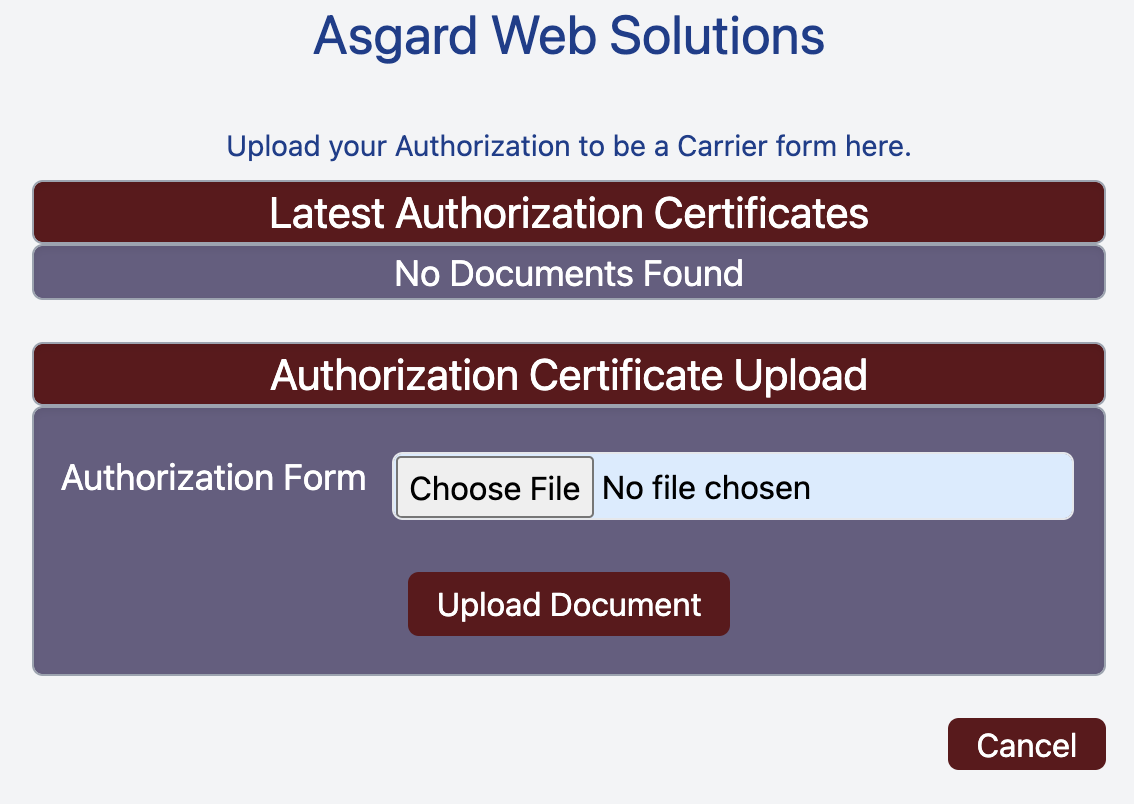](https://docs.brylerlogistics.com/uploads/images/gallery/2021-09/image-1630901575513.png)
This returns you to the Carrier Profile page and turns the Red x for **Authorization** to a Green check mark.
[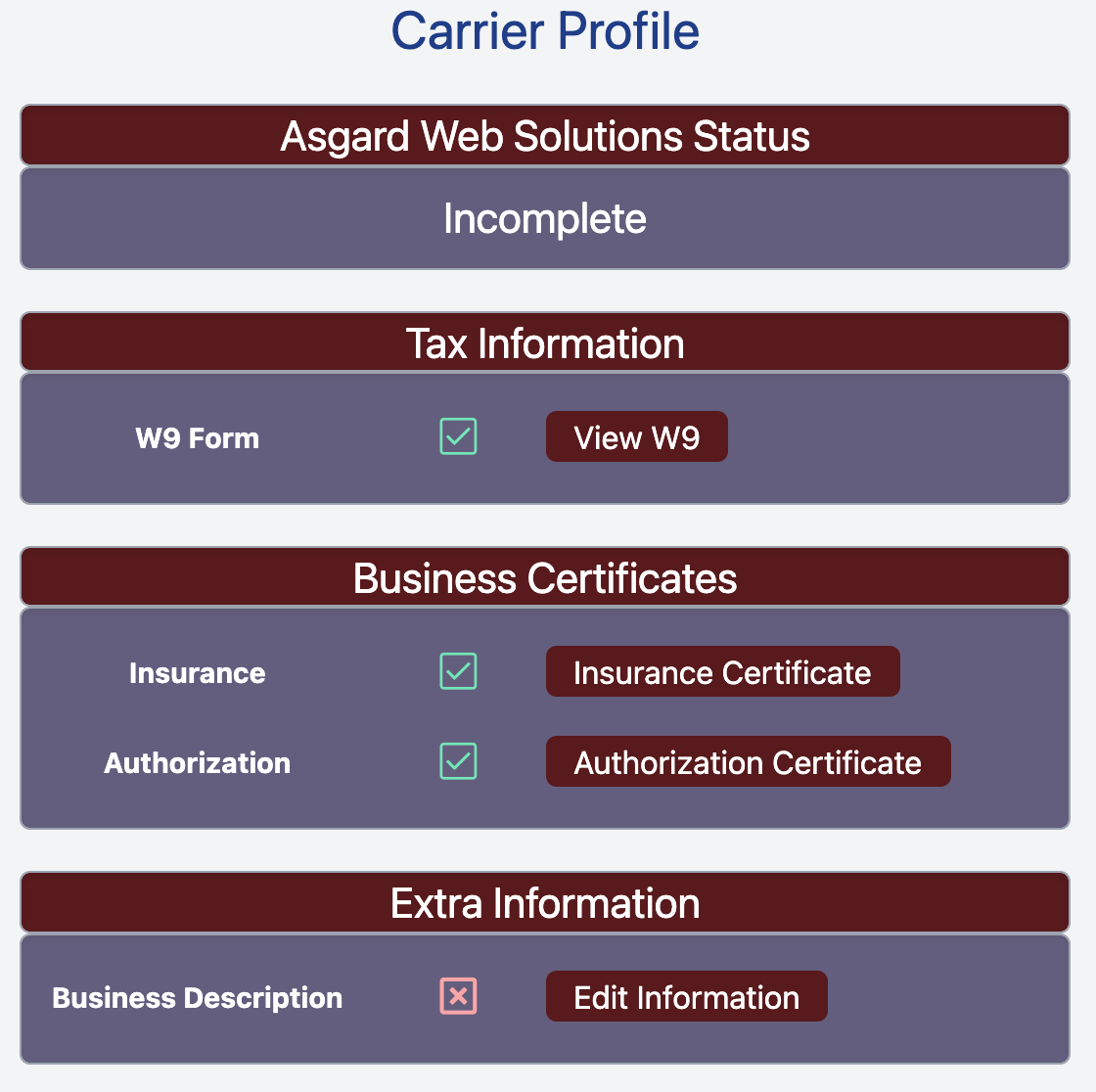](https://docs.brylerlogistics.com/uploads/images/gallery/2021-09/image-1630901950798.png)
After this step is complete you can complete the final **Extra Information** step and then submit your Carrier Application.
# Complete Business Description
The final step needed to complete your Carrier Application is to give us some information about your business. To reach this step you must have already [Added an Organization](https://docs.brylerlogistics.com/books/user-guide/page/add-an-organization "Add An Organization") and [Started Your Carrier Application](https://docs.brylerlogistics.com/books/user-guide/page/start-a-carrier-application "Start a Carrier Application").
##### Click **View Carrier Application** From Your Profile
\- [https://brylerlogistics.com/profile](https://brylerlogistics.com/profile)
[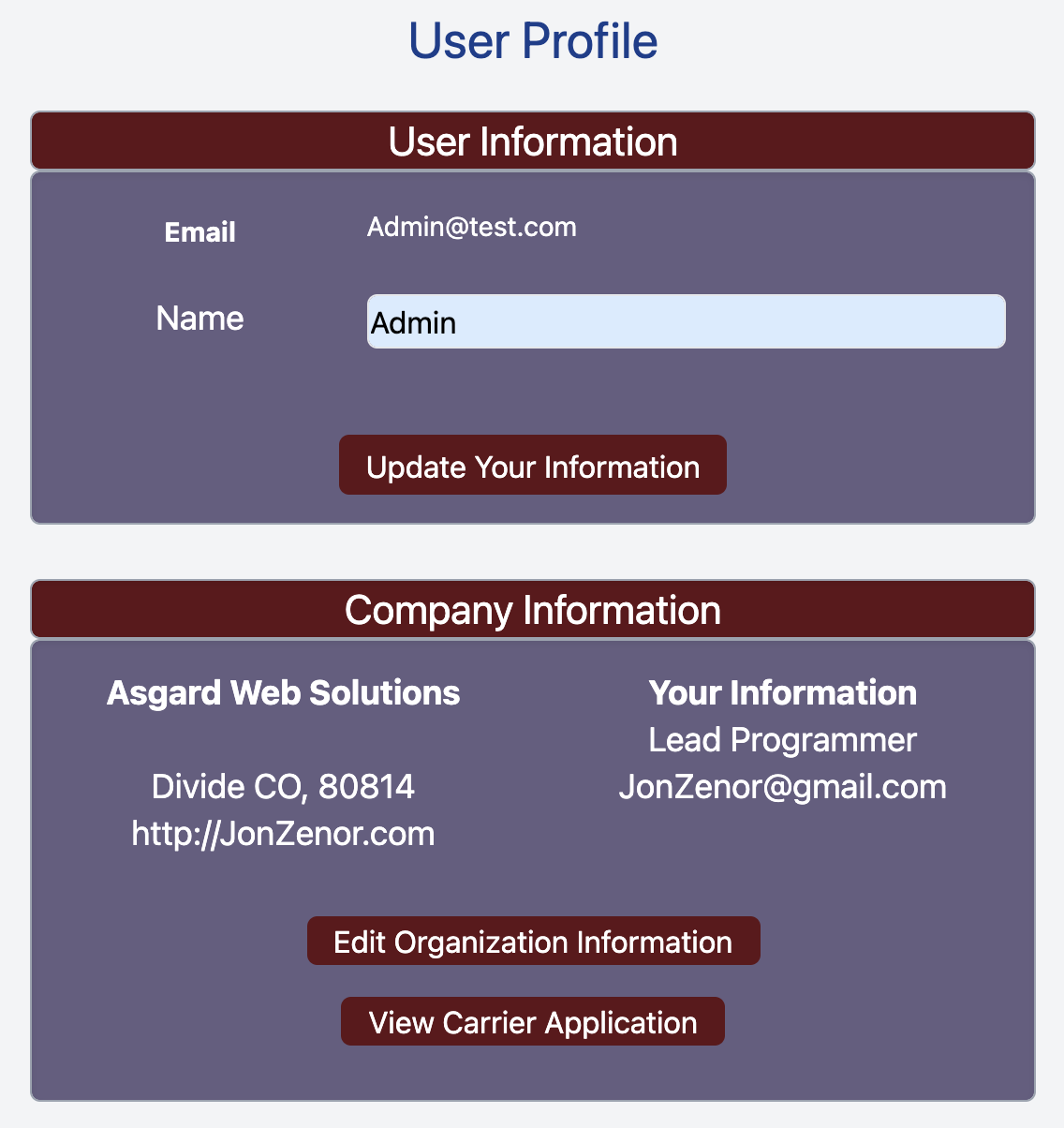](https://docs.brylerlogistics.com/uploads/images/gallery/2021-09/image-1630902945121.png)
##### Click **Edit Information** to fill out the remaining details about your organization.
[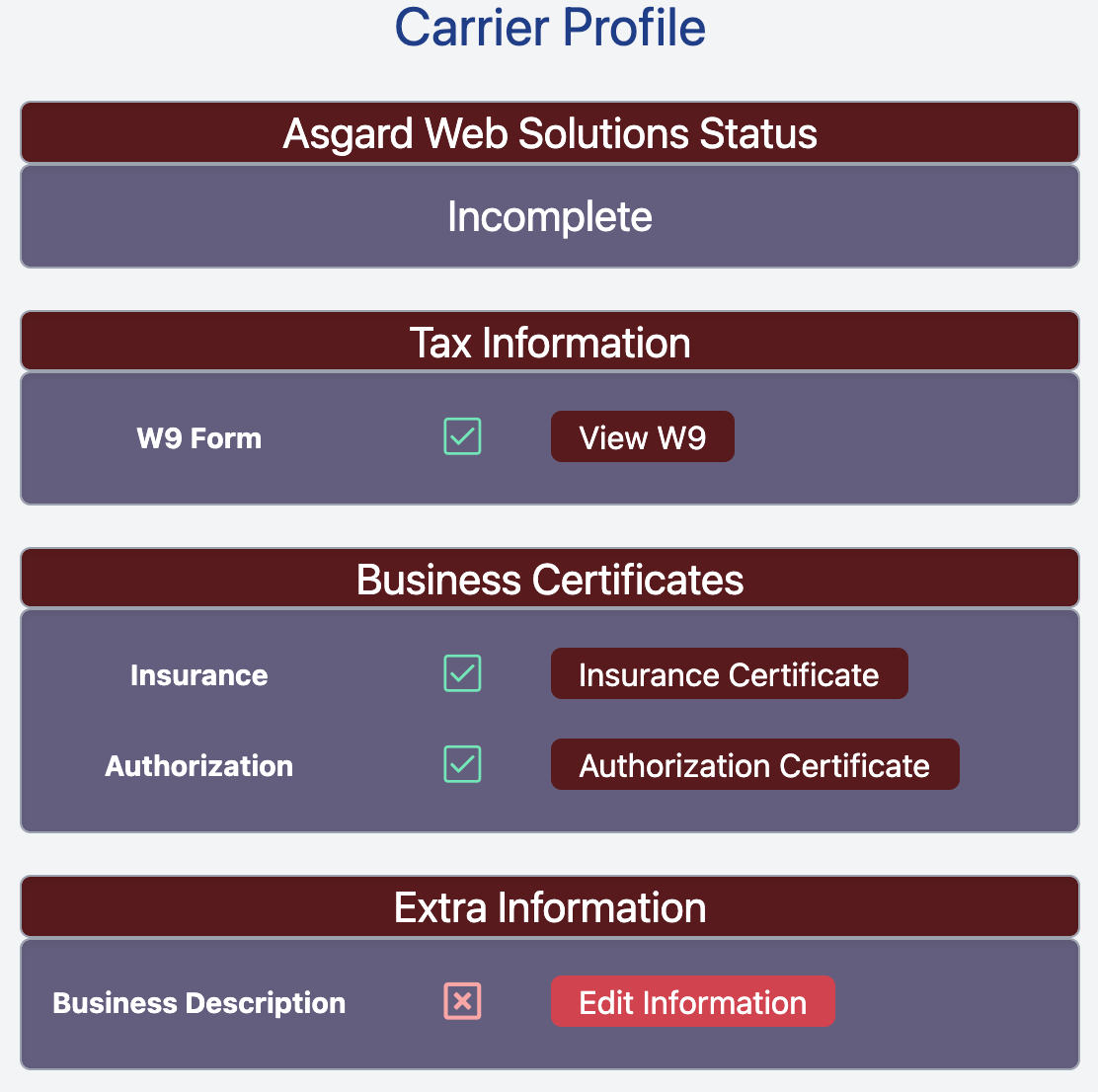](https://docs.brylerlogistics.com/uploads/images/gallery/2021-09/image-1630903033211.png)
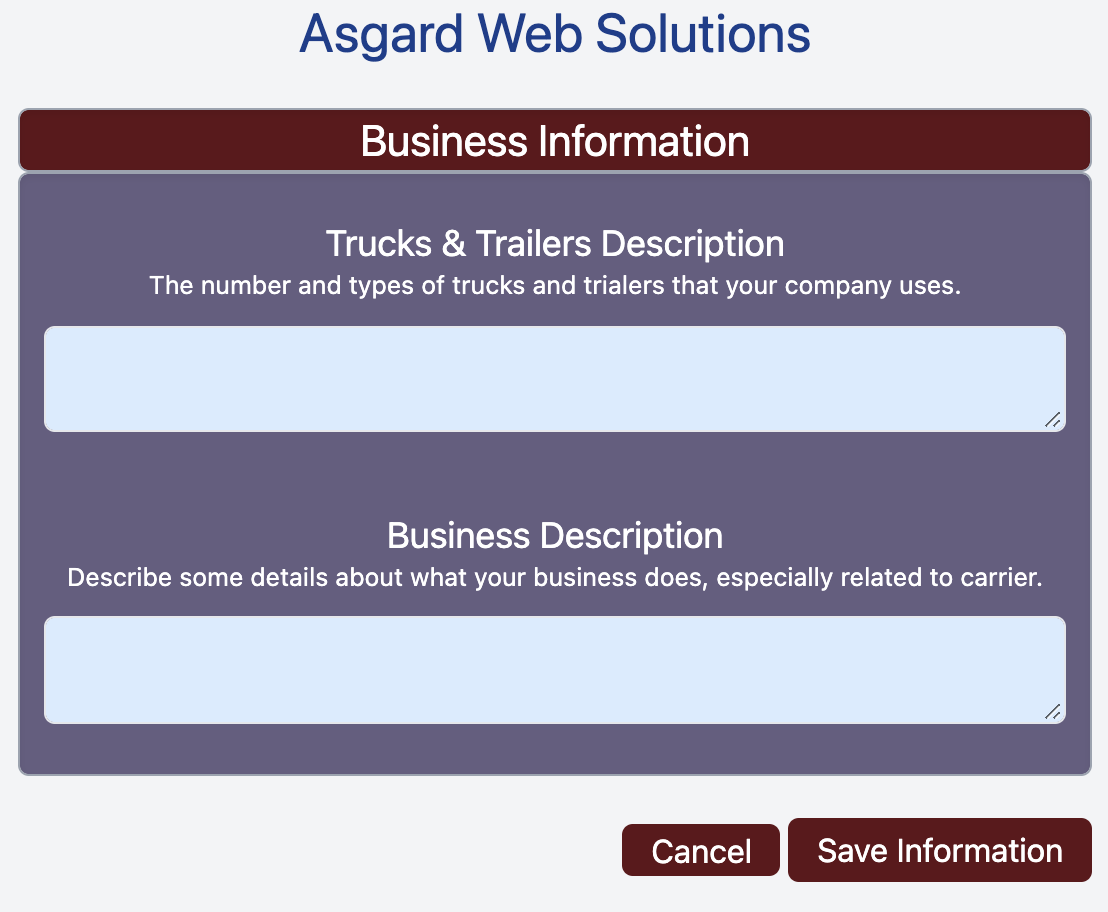
##### Fill Out Trucks & Trailers Description
Give us a summary of how many trucks you have, and what kinds, and also what kinds of trailers you have. This lets us know what types of loads you will be able to carry.
[](https://docs.brylerlogistics.com/uploads/images/gallery/2021-09/image-1630903154487.png)
##### Fill Out Business Description
Give us a brief description of your company.
##### Click **Save Information**
This returns you to the Carrier Profile page and turns the final Red x to a Green checkbox, and also allows you to submit your application for review.
# Submit Your Carrier Application
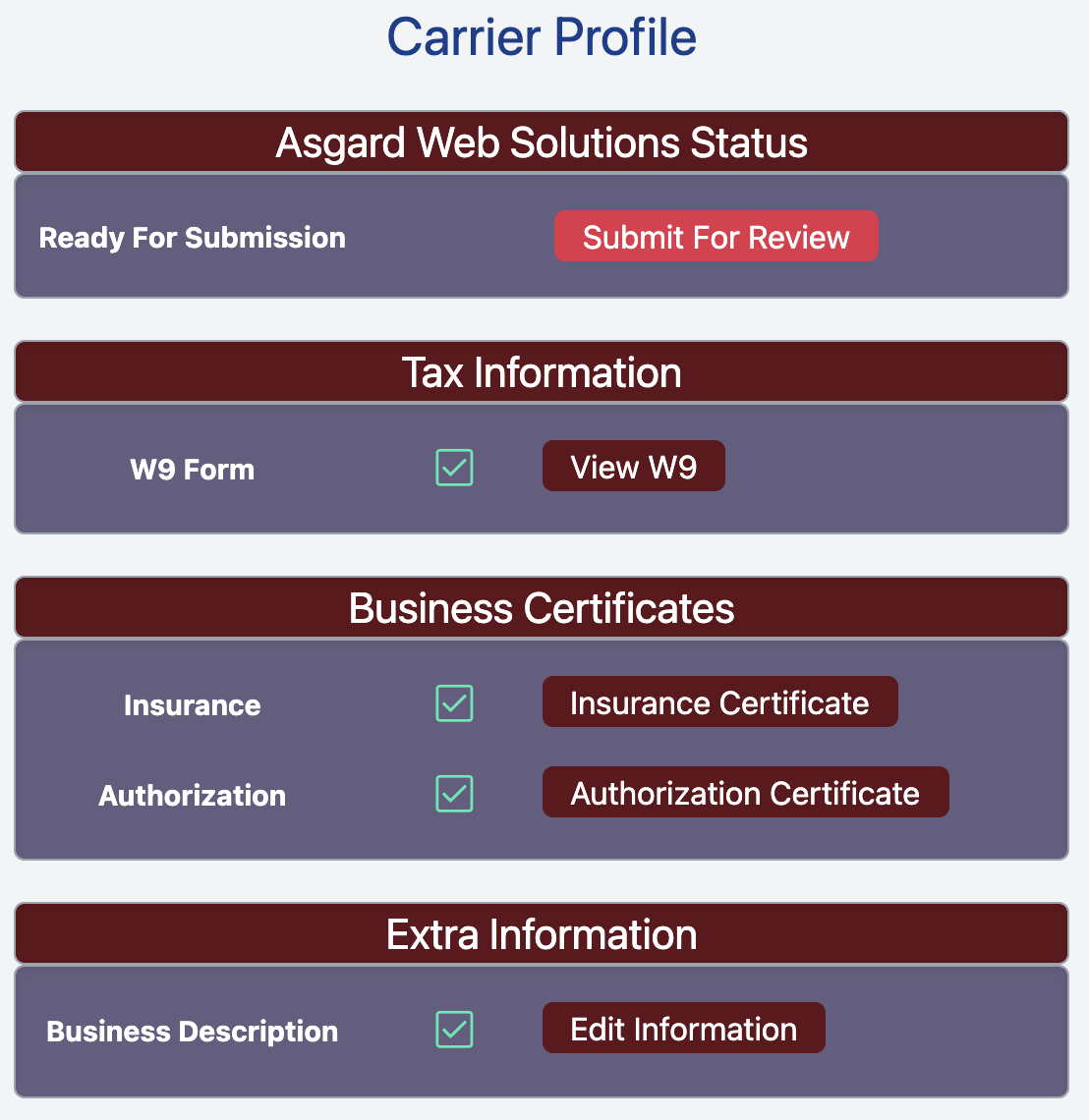
Once [all sections have been filled out](https://docs.brylerlogistics.com/books/user-guide/page/how-to-become-a-carrier "How to Become a Carrier") in your Carrier Application, then you may Submit it for review by a Business Manager.
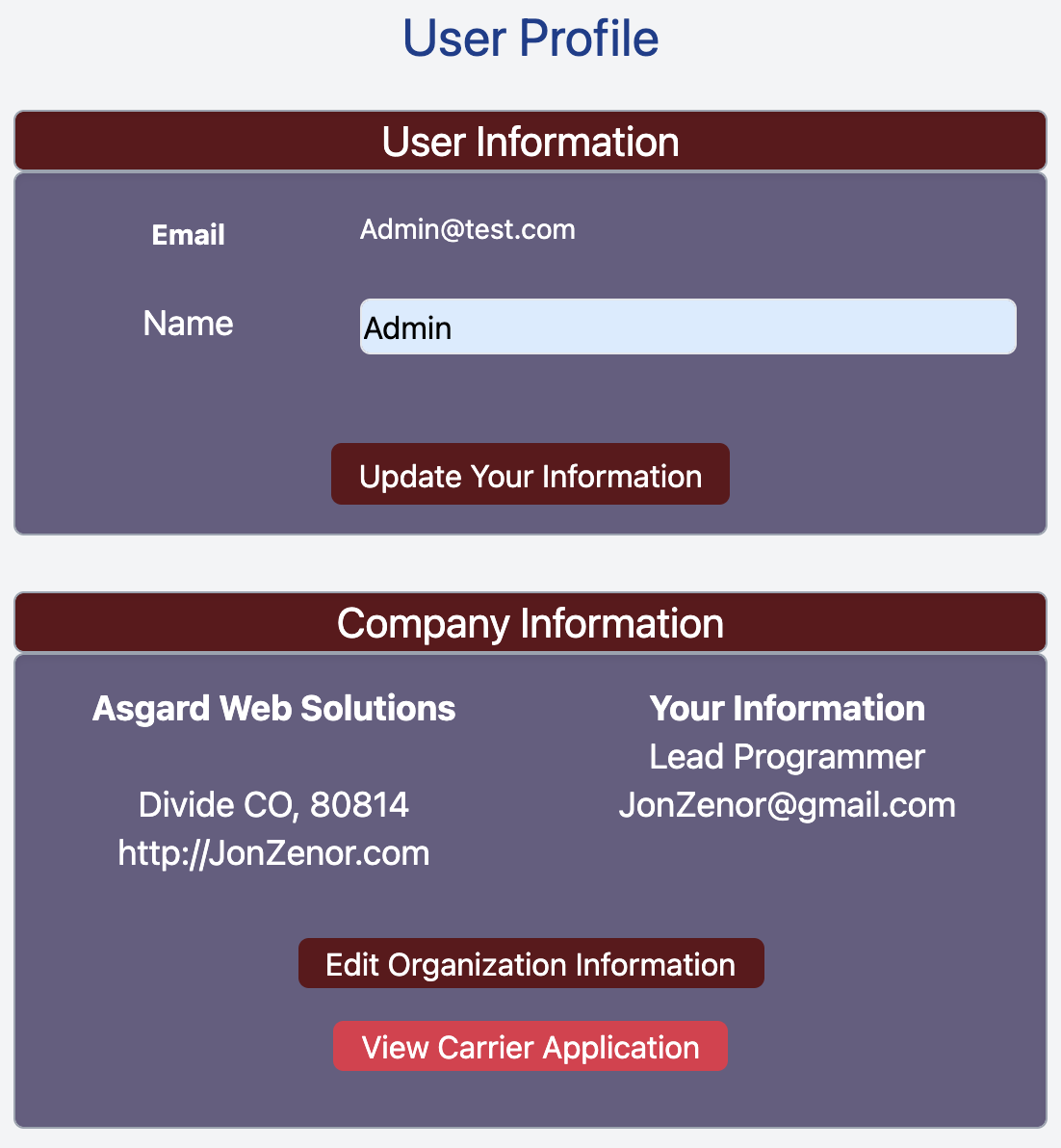
##### Click **View Carrier Application** On Your Profile
\- [https://brylerlogistics.com/profile](https://brylerlogistics.com/profile)
[](https://docs.brylerlogistics.com/uploads/images/gallery/2021-09/image-1630903429927.png)
##### Click **Submit For Review**
[](https://docs.brylerlogistics.com/uploads/images/gallery/2021-09/image-1630903367135.png)
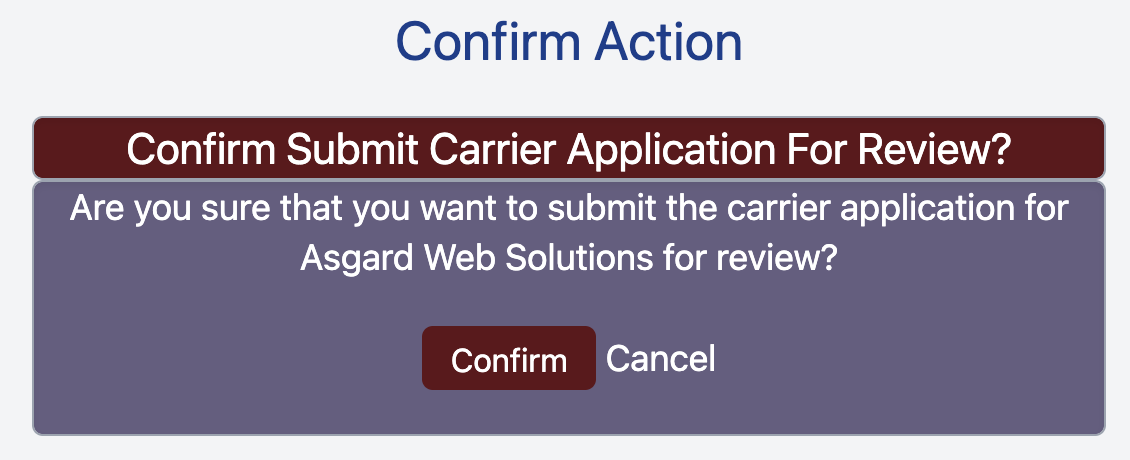
##### Click **Confirm** to Submit Your Application For Review
[](https://docs.brylerlogistics.com/uploads/images/gallery/2021-09/image-1630903703036.png)
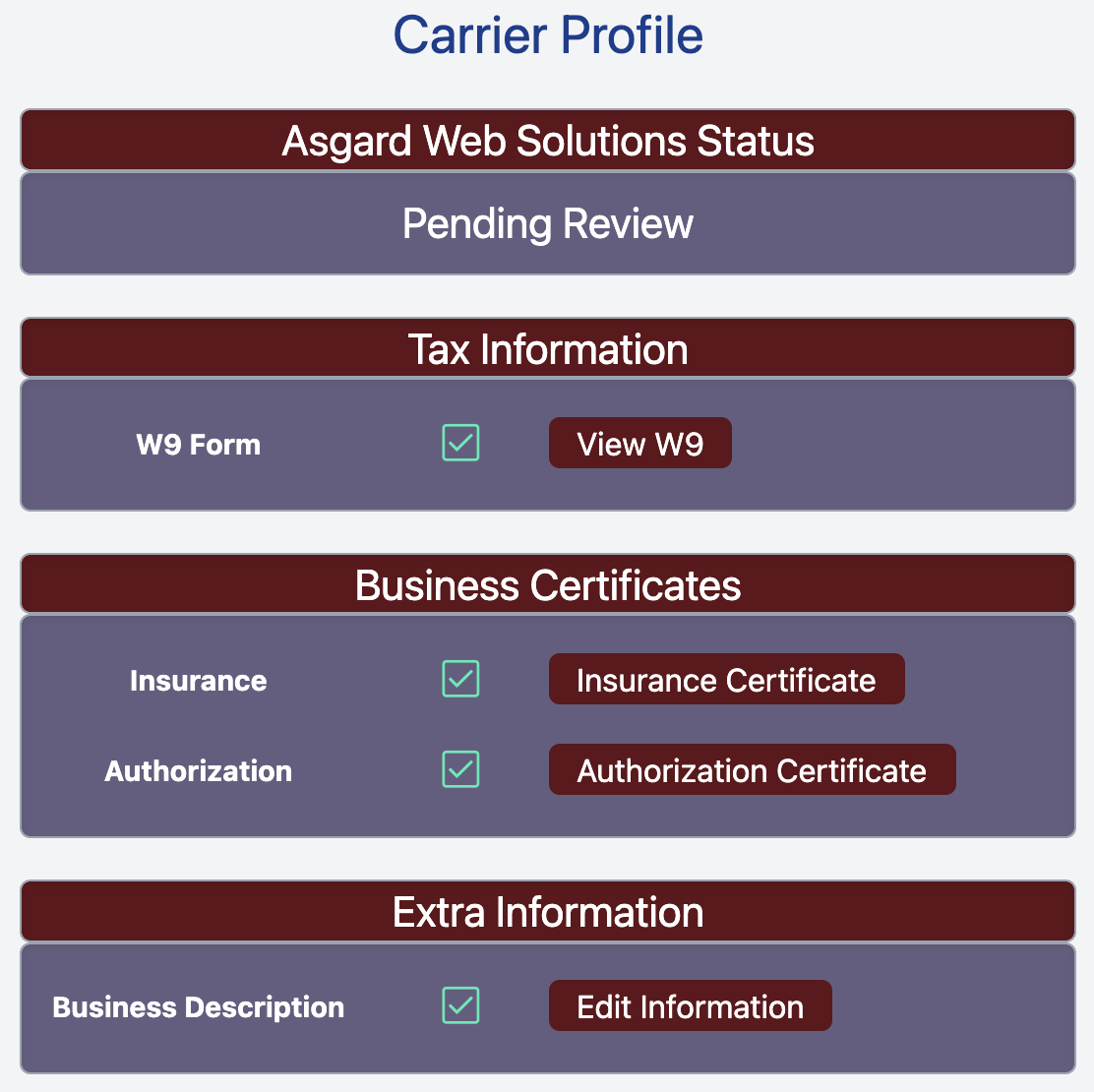
Once you submit your application the Business Managers will be notified and will review your application. Your application status will show Pending Review until the information has been reviewed and either accepted or rejected.
[](https://docs.brylerlogistics.com/uploads/images/gallery/2021-09/image-1630903879731.png)