# Upload Authorization Certificate
Before you can become an authorized Bryler Logistics carrier, you must upload your Authorization To Carry certificate. [https://www.transportation.gov/content/what-definition-authorized-hire-carrier](https://www.transportation.gov/content/what-definition-authorized-hire-carrier)
##### Click **View Carrier Application** From Your Profile
\- [https://brylerlogistics.com/profile](https://brylerlogistics.com/profile)
##### Click **Authorization Certificate**
[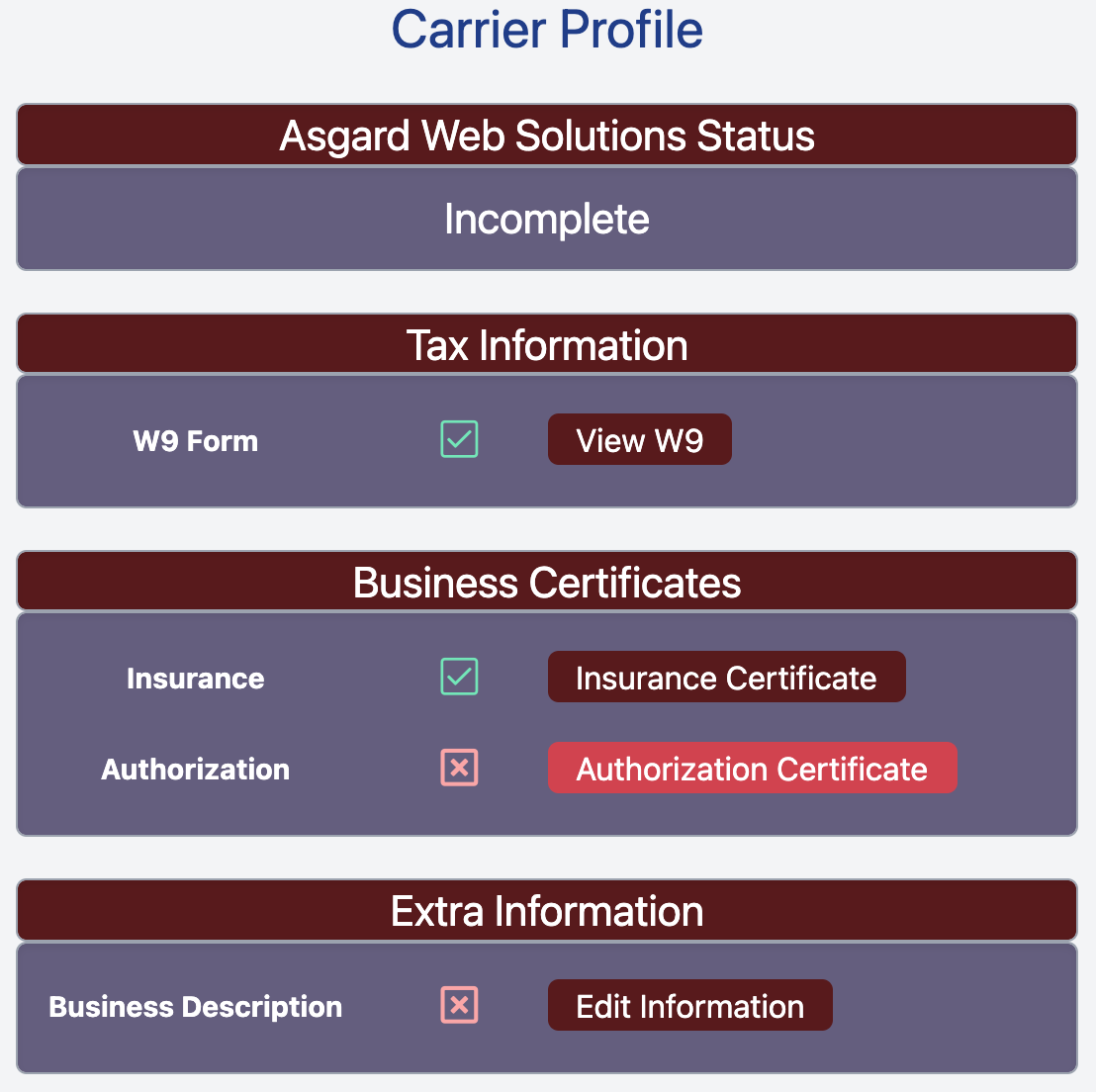](https://docs.brylerlogistics.com/uploads/images/gallery/2021-09/image-1630901418309.png)
##### Click **Choose File** and Select the file that you want to upload.
[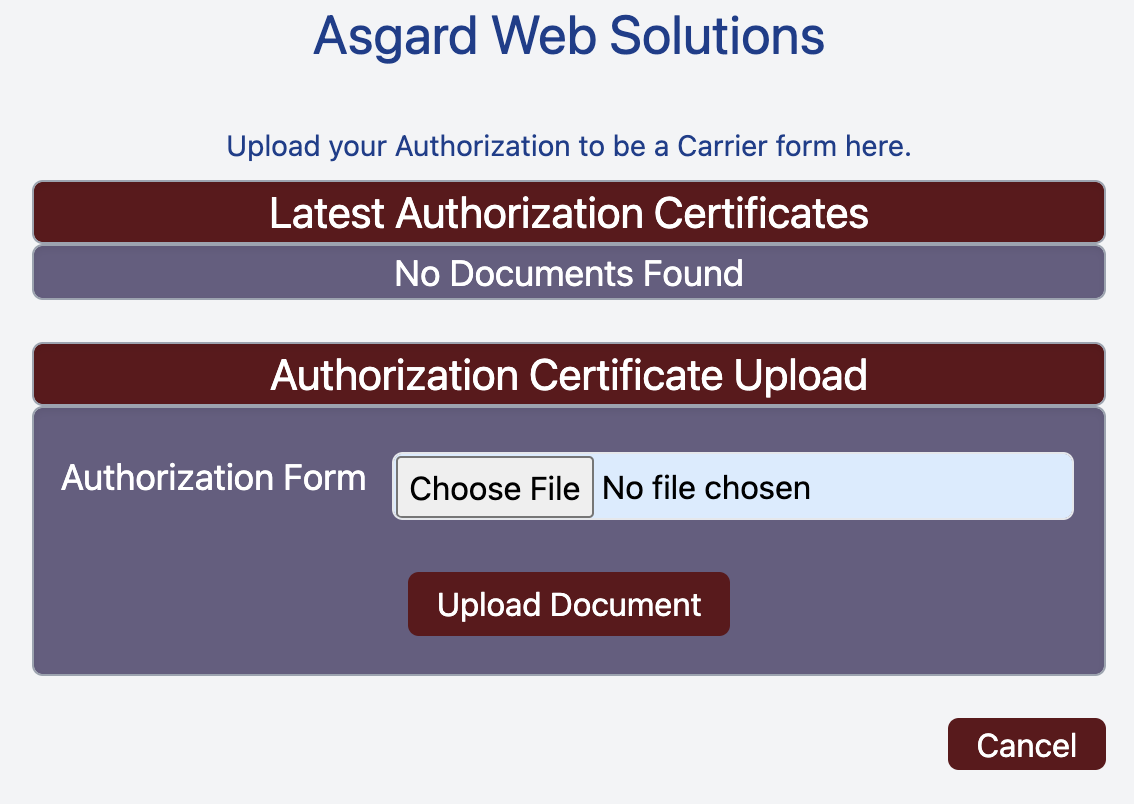](https://docs.brylerlogistics.com/uploads/images/gallery/2021-09/image-1630901575513.png)
This returns you to the Carrier Profile page and turns the Red x for **Authorization** to a Green check mark.
[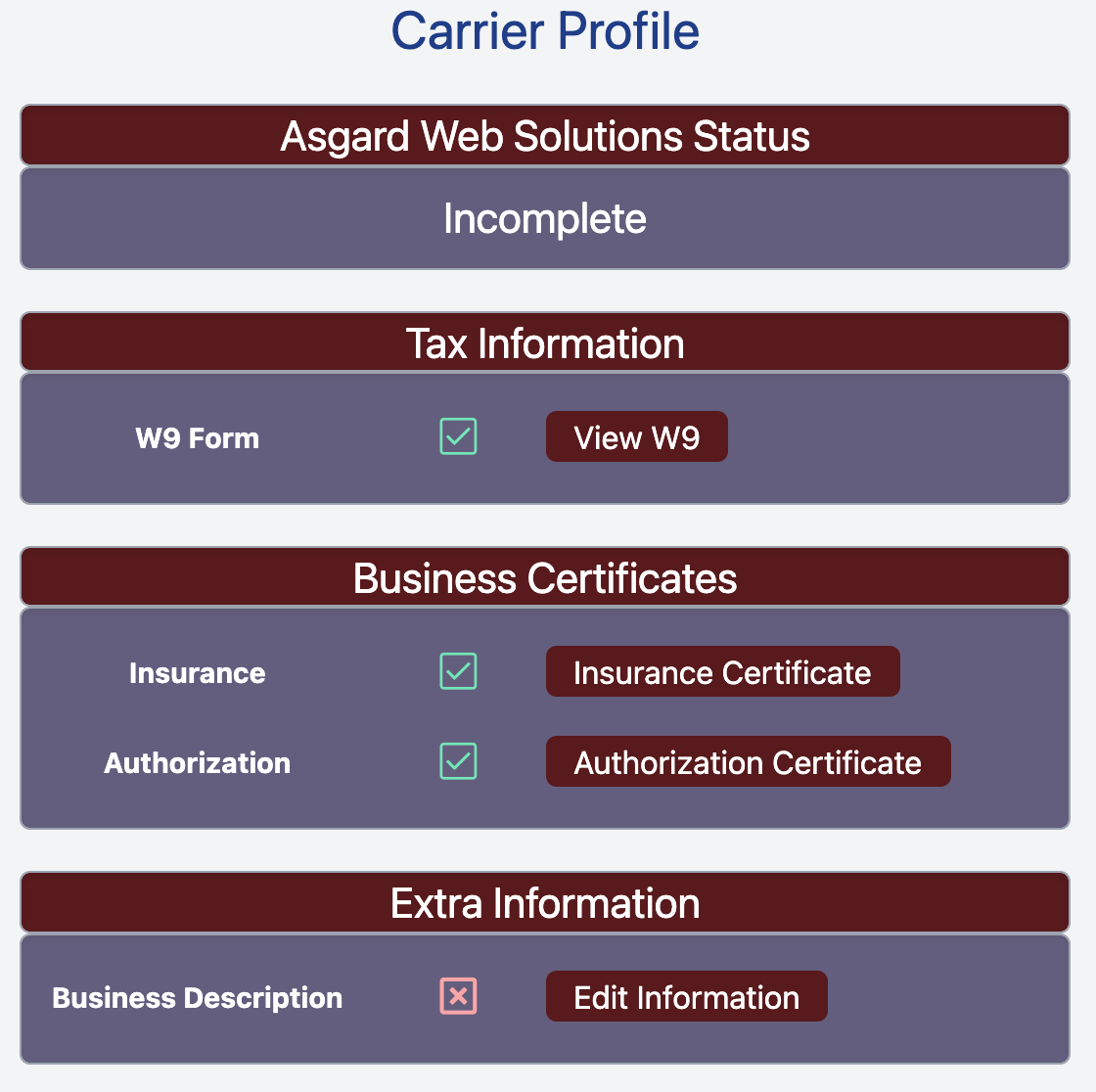](https://docs.brylerlogistics.com/uploads/images/gallery/2021-09/image-1630901950798.png)
After this step is complete you can complete the final **Extra Information** step and then submit your Carrier Application.